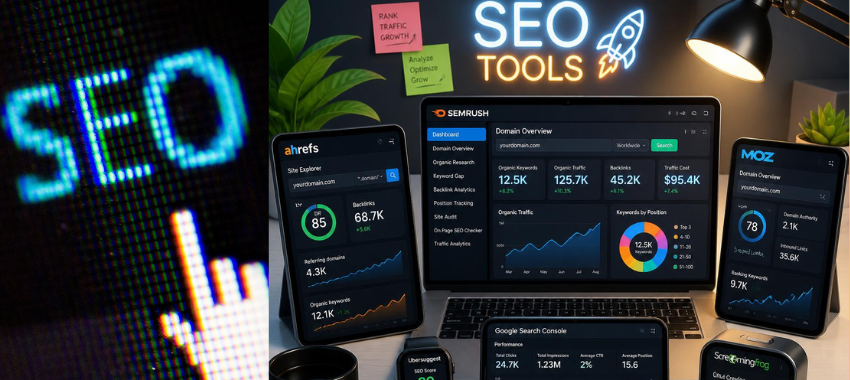
Search engine optimization in 2026 looks different from a few years ago. It’s no longer just about ranking on Google — brands now also need visibility inside AI-generated answers on tools like ChatGPT, Gemini, and Perplexity. That shift has changed what a “good” SEO tool needs to do: it’s not enough to track keyword rankings anymore; many platforms now also monitor how often a brand gets mentioned or cited inside AI search results.
At the same time, the fundamentals haven’t gone anywhere. You still need to know what people are searching for, how your site is performing technically, who your competitors are, and how strong your backlink profile is. No single tool covers all of this equally well, and budgets vary widely — from solo bloggers using entirely free tools to agencies paying thousands per month for enterprise suites.
This guide walks through ten commonly used SEO tools in depth: what each one actually does, who it tends to suit, current pricing, and — just as importantly — where each one falls short. The goal here isn’t to crown a “best” tool, since the right choice depends entirely on your site size, budget, and what part of SEO you’re trying to solve for. Instead, this is meant to give you enough detail to compare them yourself.
What Is an SEO Tool, Really?
At a basic level, an SEO tool helps you understand and improve how visible a website is — both in traditional search engines and, increasingly, in AI-driven search and answer engines. But “SEO tool” is a broad label, and most platforms specialize in one or two of the following areas rather than doing everything equally well:
- Keyword research — figuring out what people are actually typing into search bars, how often, and how competitive those terms are
- Rank tracking — monitoring where your pages sit in search results over time, often by location and device
- Competitor analysis — seeing what’s working for other sites in your niche, from their keywords to their backlink sources
- Backlink analysis — auditing who links to your site (and who links to competitors), since backlinks remain a strong ranking signal
- Technical SEO fixes — catching crawl errors, broken links, slow pages, and indexing problems that quietly hurt rankings
- Content creation — generating topic ideas, briefs, or drafts optimized around search intent
- SEO automation — reducing the manual, repetitive parts of reporting and monitoring
Some tools on this list (like Google’s own suite) are free but narrow in scope. Others (like Semrush or Ahrefs) try to cover nearly every category above in one subscription, which is exactly why they cost significantly more.
Quick Comparison Table
| Tool | Best For | Starting Price | Free Option |
| Google Search Console | Monitoring search performance | Free | Yes |
| Google Trends | Search popularity trends | Free | Yes |
| Google Autocomplete | Query suggestion research | Free | Yes |
| Google Analytics | Traffic & behavior analytics | Free (360 is paid) | Yes |
| Semrush | All-in-one SEO & marketing | ~$139.95/month | Limited free plan |
| Ahrefs | Backlinks & competitor research | ~$29/month | No (trial only) |
| Ubersuggest | Budget keyword research | Free (limited) | Yes, 3 searches/day |
| Screaming Frog | Technical site crawling | Free up to 500 URLs | Yes |
| GTmetrix | Site speed testing | ~$5.99/month | Yes |
| Moz | Beginner-friendly all-in-one SEO | ~$49/month | 7-day trial |
Pricing changes frequently, especially with tools bundling in AI-visibility features. Always confirm current rates on the official pricing pages linked above before purchasing.
1. Google Search Console
Google Search Console is Google’s own free tool for monitoring how a site performs specifically in Google Search. It’s less of an “SEO tool” in the Semrush/Ahrefs sense and more of a direct line of communication between your website and Google — it tells you what Google actually sees, indexes, and ranks, rather than estimating it the way third-party tools have to.
Key Features
- Performance reports — impressions, clicks, average position, and click-through rate by query and page
- Index coverage — which pages are indexed, excluded, or have errors
- URL Inspection Tool — check the indexing status of a specific URL in real time
- Sitemap submissions — tell Google directly which pages to crawl
- Core Web Vitals — Google’s page experience metrics (loading, interactivity, visual stability)
- Backlinks & interlinks — a basic view of who links to you and how your own pages link internally
Why it matters: Because this data comes straight from Google rather than a third-party crawler’s estimate, it’s considered the most accurate source for click and impression data — even though third-party tools often present it more attractively.
Pricing: Free — there is no paid tier, no premium features, and no account limits.
Limitations
| Limit Category | Threshold |
| Historical data retention | 16 months, rolling |
| UI row limit | 1,000 rows per report view/export |
| API daily limit | 50,000 rows/day, per search type |
The 16-month rolling window is a common pain point — if you want to compare year-over-year performance beyond that, you need to have been exporting the data manually all along, since Search Console won’t retain it for you.
2. Google Trends
Google Trends is a free, public tool that shows the relative popularity of search terms over time, across Google Search and YouTube. It’s often used as a directional signal rather than a precise research tool — good for spotting seasonality, emerging topics, or comparing the momentum of two competing terms.
Key Features
- Interest over time — a 0–100 popularity index charted across custom date ranges
- Regional popularity — see where a term is searched most, down to city level in some cases
- Related topics & queries — surface adjacent terms people search alongside your seed keyword
Pricing: Free — no account or payment required.
Limitations
- No real search volume — Trends shows relative popularity (0–100), not the actual number of searches, which makes it unsuitable on its own for volume-based keyword prioritization
- Small spikes can mislead — a term with very few absolute searches can still show a dramatic-looking spike, since the scale is relative, not absolute
- Some searches are excluded — duplicate queries and very low-volume searches are filtered out of the dataset entirely
- Search Term vs. Topic confusion — “Search Term” isolates the exact keyword, while “Topic” quietly rolls in related variations, and mixing the two up skews comparisons
- No SEO metrics — there’s no keyword difficulty, competition score, or search intent classification here; it pairs best with a dedicated keyword tool, not as a replacement for one
3. Google Autocomplete
Google Autocomplete is the predictive suggestion list that appears as users type into the search bar. It’s not a dedicated “tool” with a dashboard, but many SEO researchers use it informally as a free, real-time window into what people are actually searching for — including long-tail phrasing that keyword tools sometimes miss.
What Google Filters Out
Google deliberately removes autocomplete suggestions that contain:
- Adult content
- Hate or discriminatory content
- Violent content
- Harmful or dangerous activities
This means autocomplete reflects a moderated, incomplete slice of real search behavior — useful for content ideas, but not a full picture of demand.
Pricing: Free
Limitations
- Not always accurate — suggestions can be irrelevant, outdated, or simply wrong
- Personalized results — your own search and browsing history influences what you’re shown, which makes it hard to get a “neutral” view without an incognito window
- Location-based — suggestions shift based on country and language, so research done from one location may not reflect another market
- Filtered results — some legitimate keywords get removed alongside genuinely harmful ones
- Not a fact — suggestions reflect popularity, not verified or authoritative information, so they shouldn’t be mistaken for confirmed data
4. Google Analytics
Google Analytics (currently GA4) is Google’s free analytics platform for understanding how people find, use, and convert on a website or app. Where Search Console focuses narrowly on search performance, Analytics gives a much broader behavioral picture — full-funnel traffic, engagement, and conversion data across every channel, not just organic search.
Key Features
- Traffic Reports — visitors, traffic sources, and behavior across the whole site
- Real-Time Reports — see activity on the site as it happens
- Funnel Analysis — pinpoint where users drop off before completing a goal
- Conversion Tracking — measure purchases, form submissions, sign-ups, and other defined goals
- AI Insights — automated detection of traffic anomalies and predictive trend modeling
- Custom Reports — build views tailored to specific stakeholders or events
- Google Tag Manager — add and manage tracking without touching site code directly
- Integrations — connects with Google Ads, Search Console, Looker Studio, WordPress, Shopify, and BigQuery
Pricing
- Free — sufficient for the large majority of websites
- Google Analytics 360 (paid) — built for large businesses needing higher data limits, SLAs, and advanced reporting
Limitations
- No old UA data — Universal Analytics data cannot be migrated into GA4; anything from before the GA4 switch is effectively frozen in the old interface
- Data sampling — very large datasets may be sampled rather than fully processed, which can introduce small inaccuracies
- Processing delay — reports can lag 4–8 hours behind real activity, so same-day analysis has to lean on Real-Time reports instead
- Limited data retention — user-level data is stored for up to 14 months, but defaults to just 2 months unless changed manually
- Free version limits — restricted number of custom dimensions, metrics, and conversion events compared to the 360 tier
- Missing features — some things marketers relied on in Universal Analytics, like a simple Pages per Session metric, built-in annotations, and scheduled email reports, aren’t available in the same form in GA4
5. Semrush
Semrush is one of the most widely used all-in-one SEO and digital marketing platforms. Rather than specializing in one task, it bundles keyword research, competitor intelligence, technical audits, content tools, and rank tracking into a single subscription — which is both its main selling point and the reason its learning curve and cost are both on the higher side.
Key Features
- Keyword Research — keyword ideas, search volume, and difficulty scoring
- Competitor Analysis — see competitors’ organic keywords, traffic estimates, and even their ad copy
- Site Audit — automated detection of technical SEO issues across the site
- Content Tools — SEO-oriented content suggestions and topic ideation
- Backlink Analysis — audit existing backlinks and surface link-building opportunities
- Rank Tracking — monitor keyword positions by location and device over time
Pricing (confirm current rates on the official pricing page)
| Plan | Approx. Monthly Price | Best For |
| Pro | $139.95 | Beginners & freelancers |
| Guru | $249.95 | Agencies & growing businesses |
| Business | $499.95 | Large businesses |
| Enterprise | Custom | Large-scale operations |
A few practical pricing notes worth flagging: most plans include only a single user seat by default, so adding teammates adds cost on top of the listed price. Annual billing typically brings a meaningful discount over paying monthly. Some newer bundles also separate the “AI Visibility” toolkit from the classic SEO toolkit, so it’s worth checking exactly which toolkit(s) a given plan includes before subscribing.
Limitations
- Expensive for small businesses, and per-seat costs add up quickly for teams
- Steep learning curve — the sheer breadth of features can be overwhelming for newcomers
- Some advanced features are locked behind the higher-priced Guru and Business tiers
- API access is only available on the Business plan and above
- Cancelling generally requires contacting support rather than a simple self-serve toggle
6. Ahrefs
Ahrefs is another all-in-one SEO platform, historically best known for having one of the largest and most frequently updated backlink indexes in the industry. It covers much of the same ground as Semrush — keywords, competitors, audits, rank tracking — but its reputation is built primarily around link data.
Key Features
- Site Explorer — analyze competitor traffic, backlinks, and top-performing pages
- Keyword Research — keyword ideas, volume, and ranking opportunity scoring
- Content Explorer — discover popular content and content gap opportunities
- Site Audit — detect and prioritize technical SEO issues
- Rank Tracker — monitor keyword rankings over time
- Brand Radar — track brand mentions across AI tools and search results
Pricing (confirm current rates on the official pricing page)
| Plan | Approx. Monthly Price | Best For |
| Starter | $29 | Beginners |
| Lite | $129 | Small businesses |
| Standard | $249 | Freelancers & consultants |
| Advanced | $449 | Marketing teams |
| Enterprise | $1,499 | Large organizations |
The $29 Starter tier is a notably low entry point compared to Semrush’s cheapest plan, but it’s also far more limited in scope — mainly useful for quick lookups rather than ongoing campaign management.
Limitations
- Usage limits on site crawls, exports, and reports, which tighten further on lower-priced plans
- Most plans include just one user, with additional seats costing extra
- Lower-tier plans retain less historical data
- Lower-tier plans also cap the number of rows shown per report
- Ahrefs generally does not offer refunds, so it’s worth trialing carefully before committing to an annual plan
7. Ubersuggest
Ubersuggest is a budget-friendly SEO tool built by Neil Patel, aimed largely at small businesses, solo marketers, and beginners who don’t need (or can’t yet justify) an Ahrefs- or Semrush-level subscription.
Key Features
- Keyword Research — keyword ideas, search volume, SEO difficulty, and CPC data
- Competitor Analysis — competitor traffic, top pages, and keyword overlap
- Site Audit — technical SEO health checks
- Content Ideas & AI Writer — generate SEO-oriented content and topic ideas
- Backlink Analysis — monitor backlinks and surface link opportunities
- AI Search Visibility — track brand visibility inside AI tools like ChatGPT and Gemini
Pricing (confirm current rates on the official pricing page)
| Plan | Approx. Price | Notes |
| Free | ₹0 | 3 searches per day |
| Individual | ₹1,135/month | For individuals |
| Business | ₹1,890/month | For small businesses |
| Enterprise | ₹3,785/month | For agencies |
| Lifetime | One-time payment | Alternative to ongoing subscription |
The lifetime plan option is somewhat unusual in this space, since most competitors are subscription-only — it can work out cheaper long-term for people who plan to use the tool indefinitely, though it typically comes with fewer feature updates than the ongoing plans.
Limitations
- Free plan is capped at just 3 searches per day, which is quite restrictive for regular use
- SEO difficulty scores are estimates and may not always be accurate
- Fewer advanced features than Ahrefs or Semrush overall
- No API access for custom integrations
- Google login is required for some features, such as pulling in Search Console data or running detailed site audits
8. Screaming Frog
Screaming Frog SEO Spider is a desktop crawler that scans a website the way a search engine bot would, surfacing technical issues that are otherwise invisible without a crawl. It’s a fundamentally different kind of tool from the platforms above — there’s no keyword research or competitor analysis here, just a very deep, very configurable crawl of your own site.
Key Features
- Website Crawl — scan an entire site for SEO issues at scale
- Broken Links — identify 404 errors and dead links
- Redirect Check — detect redirect chains and loops that waste crawl budget
- Meta Tags Audit — find missing or duplicate titles and meta descriptions
- Technical SEO — check canonical tags, hreflang, robots.txt, and noindex directives
- JavaScript Crawling — render and crawl JS-heavy sites built with React, Angular, or Vue
- Custom Data Extraction — pull specific data points like prices, product IDs, or custom meta tags
- Integrations — connects with Google Analytics, Search Console, and PageSpeed Insights
- AI Integration — works with OpenAI, Gemini, and Anthropic models for SEO-related tasks
Pricing (confirm current rates on the official licensing page)
- Free — crawl up to 500 URLs, with most core features available
- Paid — £199/year per user for unlimited crawling and the full feature set
Limitations
- Steeper learning curve for beginners — the sheer number of tabs and filters can be confusing without prior technical SEO experience
- Desktop-only, with no cloud-based version
- Advanced features require a working understanding of technical SEO concepts to use effectively
- No built-in keyword research or competitor analysis — it’s purely a site-crawling tool
- Large websites may need a more powerful computer to crawl efficiently without slowdowns
9. GTmetrix
GTmetrix is a dedicated website speed testing tool, used to diagnose why a page loads slowly and how to fix it. It complements the tools above rather than competing with them directly, since page speed is a technical SEO factor most other platforms only touch on superficially.
Key Features
- Performance Score — an overall measure of how fast a page loads
- GTmetrix Grade — a simple A–F letter grade for quick assessment
- Core Web Vitals — measures loading speed and page stability
- Waterfall Report — a visual breakdown of exactly which files or requests slow the page down
- Performance Audits — specific, prioritized suggestions to improve load times
Pricing (confirm current rates on the official pricing page)
| Plan | Approx. Monthly Price |
| Lite | $5.99 |
| Core | $11.99 |
| Advanced | $29.99 |
| Expert | $59.99 |
Limitations
- No real user data — results come from simulated test conditions, not actual visitor sessions
- Cannot directly measure Interaction to Next Paint (INP); it substitutes Total Blocking Time (TBT) as a proxy metric instead
- Scores can vary run to run, depending on test server location, network conditions, and browser version used for testing
10. Moz
Moz is often positioned as the most beginner-friendly of the all-in-one SEO platforms, offering keyword research, backlink analysis, site audits, and rank tracking in a more approachable interface than Semrush or Ahrefs.
Key Features
- Keyword Explorer — keyword ideas, search volume, and difficulty scoring
- Link Explorer — backlink analysis and Domain Authority scoring
- Site Crawl — detect technical issues like broken links and missing meta tags
- Rank Tracking — monitor keyword position changes over time
- On-Page SEO — actionable suggestions to improve individual pages
- AI Features — AI search visibility tracking and content idea generation
- MozBar — a free Chrome extension showing SEO metrics for any page you visit
Pricing (confirm current rates on the official pricing page; a 7-day free trial is typically available)
| Plan | Approx. Monthly Price |
| Starter | $49 |
| Standard | $99 |
| Medium | $179 |
| Large | $299 |
Limitations
- Exports capped at 1,000 keywords per export
- No loyalty discounts offered for long-term subscribers
- Support is limited to email and live chat, with no phone support option
- The Starter plan is quite restrictive — just 1 tracked website and 50 tracked keywords, which is thin for anything beyond a small personal site
Putting It Together: How These Tools Typically Fit a Workflow
In practice, most SEO workflows don’t rely on a single tool — they layer a few together, each covering a different gap:
- Free performance monitoring: Google Search Console and Google Analytics form the baseline for almost every site, since they’re free and provide first-party data directly from Google
- Keyword and content direction: Google Trends and Autocomplete are often used informally alongside a dedicated keyword tool (Semrush, Ahrefs, Ubersuggest, or Moz) to validate topic ideas
- All-in-one paid research: Semrush, Ahrefs, and Moz each attempt to cover keyword research, competitor analysis, and backlinks in one subscription — the differences come down to depth of data, ease of use, and price point
- Technical health: Screaming Frog is commonly run periodically (monthly or quarterly) as a deep technical audit, separate from the ongoing monitoring done in Search Console
- Speed optimization: GTmetrix (or similar tools) is typically used reactively — after Core Web Vitals issues show up elsewhere — to diagnose and fix specific loading bottlenecks
There isn’t a universally “correct” stack. A solo blogger might get by entirely on Google’s free tools plus Ubersuggest, while an agency managing multiple client sites is more likely to need Semrush or Ahrefs for scale, Screaming Frog for technical depth, and GTmetrix for performance diagnostics.
Pricing, features, and limitations listed above reflect publicly available information as of 2026. Plans, limits, and feature sets change fairly often — especially as tools add AI-visibility features — so it’s worth checking each tool’s official website before making a purchasing decision.